Unlocking Creativity with Google Slides - Anvil: A Versatile Presentation Solution
When it comes to creating impactful and visually appealing presentations, Google Slides - Anvil stands out as a powerful and versatile tool. This innovative template is designed to cater to a wide range of needs, from creative agencies and corporate profiles to personal portfolios and startup pitches. Let's dive into what makes Anvil a go-to choice for professionals and creatives alike.
Designed for Diverse Purposes
Anvil is not just another presentation template; it's a comprehensive solution that can be adapted to various contexts. Whether you're looking to showcase your company's achievements, present a new business idea, or highlight your personal portfolio, Anvil has the flexibility to meet your specific requirements. Here are some of the key areas where Anvil shines:
- Creative Agency Presentations: With its modern and sleek design, Anvil is perfect for agencies looking to impress clients with professional and visually engaging content.
- Corporate and Business Reports: The clean and organized layout of Anvil makes it ideal for presenting financial reports, strategic plans, and other business-related information.
- Personal and Professional Portfolios: For individuals looking to stand out in their field, Anvil offers a way to present your work and achievements in a polished and professional manner.
- Pitch Decks for Startups: When it comes to pitching your startup to potential investors, Anvil provides a compelling and structured format to get your message across effectively.
Key Features of Anvil Creative Google Slides Template
One of the standout features of Anvil is its ease of use and customization. Here’s a closer look at what you can expect:
35 Unique Slides
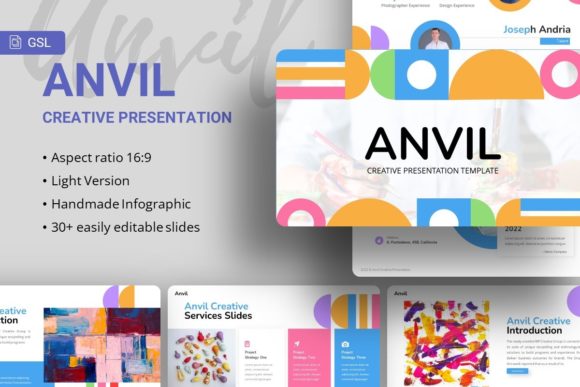
Each Anvil template comes with 35 distinct slides, providing ample space to cover all aspects of your presentation. Whether you need to introduce your team, detail your services, or present case studies, there's a slide for every purpose.
Easily Customizable Content
Making changes to the Anvil template is straightforward. You can easily adjust colors, fonts, and layouts to match your brand identity. This level of customization ensures that your presentation looks and feels unique and tailored to your specific needs.
Handcrafted Infographics
Visuals play a crucial role in any presentation, and Anvil includes handcrafted infographics that are both visually appealing and informative. These infographics help to break down complex information into digestible and engaging visuals, making your presentation more effective.
Based on Master Slides
The Anvil template is built using master slides, which means that any changes made to the master slide will be reflected across all slides. This feature saves time and ensures consistency throughout your presentation.
Pixel-Perfect Illustrations
All illustrations in Anvil are meticulously crafted to be pixel-perfect, ensuring that your presentation looks sharp and professional, whether viewed on a computer screen, projector, or printed material.
Resizable and Editable Graphics
Every graphic element in Anvil is fully resizable and editable. This means you can adjust the size and position of images, icons, and other visual elements to perfectly fit your content and style.
Picture Placeholder with Drag-and-Drop Functionality
Incorporating images into your presentation is as simple as dragging and dropping them into the designated placeholders. This feature makes it easy to add and replace images without the need for advanced editing skills.
What’s Included in the Anvil Package
When you purchase Anvil, you receive everything you need to create a stunning presentation. The package includes:
- PowerPoint .PPTX File: The main template file, ready for you to customize and use.
- Documentation File: A detailed guide to help you understand and make the most of the template’s features.
- Vector Icons: A collection of high-quality vector icons that you can use to enhance your presentation.
Note that all images used in the demo are for preview purposes only and are not included in the files. However, the placeholders and drag-and-drop functionality make it easy to add your own images and tailor the presentation to your specific needs.
Why Choose Anvil for Your Next Presentation?
With its versatility, ease of use, and professional design, Anvil is an excellent choice for anyone looking to create a high-impact presentation. Here are a few reasons why Anvil stands out:
- Versatility: Suitable for a wide range of purposes, from corporate presentations to personal portfolios.
- Customizability: Easy to adjust and tailor to your specific needs and brand identity.
- Professional Design: Clean, modern, and visually appealing, with handcrafted infographics and pixel-perfect illustrations.
- User-Friendly: Simple to use, even for those without advanced design skills, thanks to features like master slides and drag-and-drop image placeholders.
Whether you’re a seasoned professional or a creative enthusiast, Anvil provides the tools and flexibility to create a presentation that truly stands out. Give it a try and see how it can elevate your next project.
Hope you like it. Thanks!